


Install the Gays-Cruising App
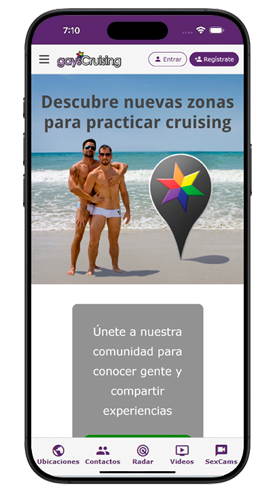
Our platform uses cutting-edge Progressive Web App (PWA) technology, ensuring optimal navigation and an immersive experience regardless of the device or browser you use.
Installation is very simple: on both iPhone and Android devices, you can add a shortcut to your phone’s home screen directly from the web browser. This allows instant access to the platform with a single tap.
To complete the installation, follow the step-by-step guide specifically adapted for your device below.
The absence of Gays-Cruising on platforms such as Apple’s App Store and Google Play is mainly due to our philosophy of maintaining a space for unrestricted sexual expression, including explicit content and nudity. The current policies of these app stores impose limitations on such content in public areas of apps, something that other platforms address by censoring or restricting certain materials to private conversations.
Our solution has been to implement a Progressive Web App (PWA), allowing universal access from any browser and device. This strategic decision ensures that all users can access all features without restrictions, regardless of their location or device. As a result, we have built a broader and more dynamic community, free from the limitations of a traditional app in official stores.
To install the Gays-Cruising App on your iPhone or iPad:
To install the Gays-Cruising App on your Android:
To install the Gays-Cruising App on your PC: